How to use OberonGG
Visual guide with real screenshots from the site. See it and understand it.
Create your account and register your character
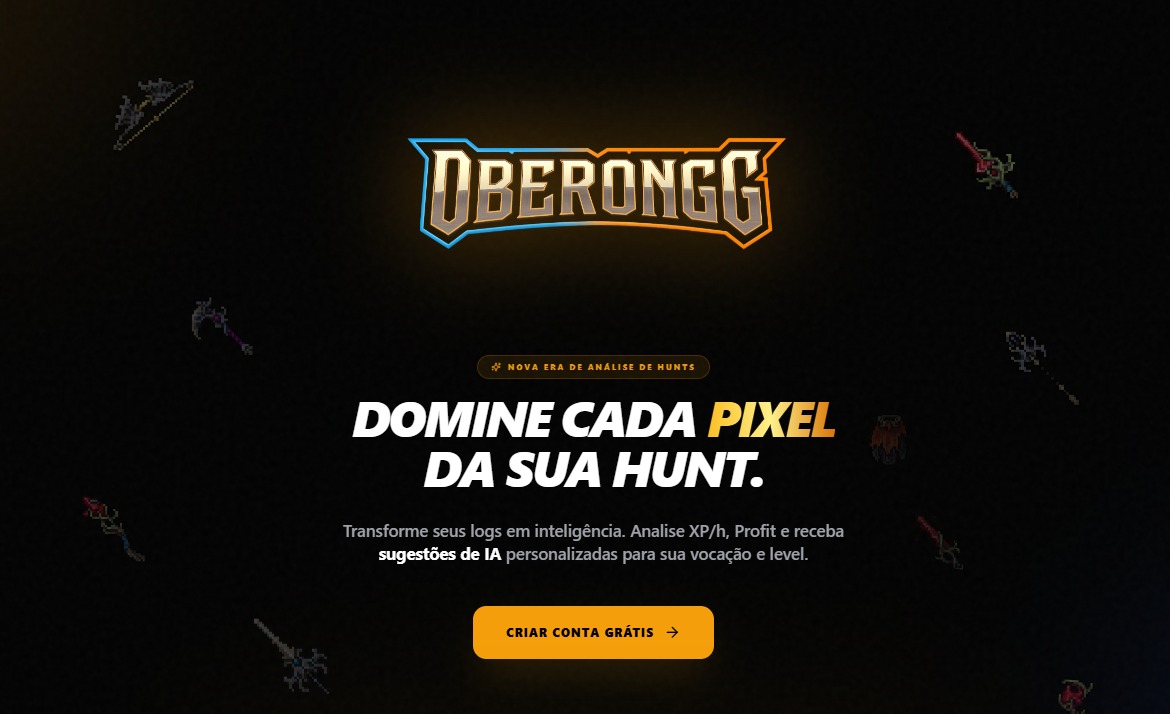
1. Create your free account
Go to oberongg.com and click "Create Free Account". Login is done via Google — no password, no hassle.
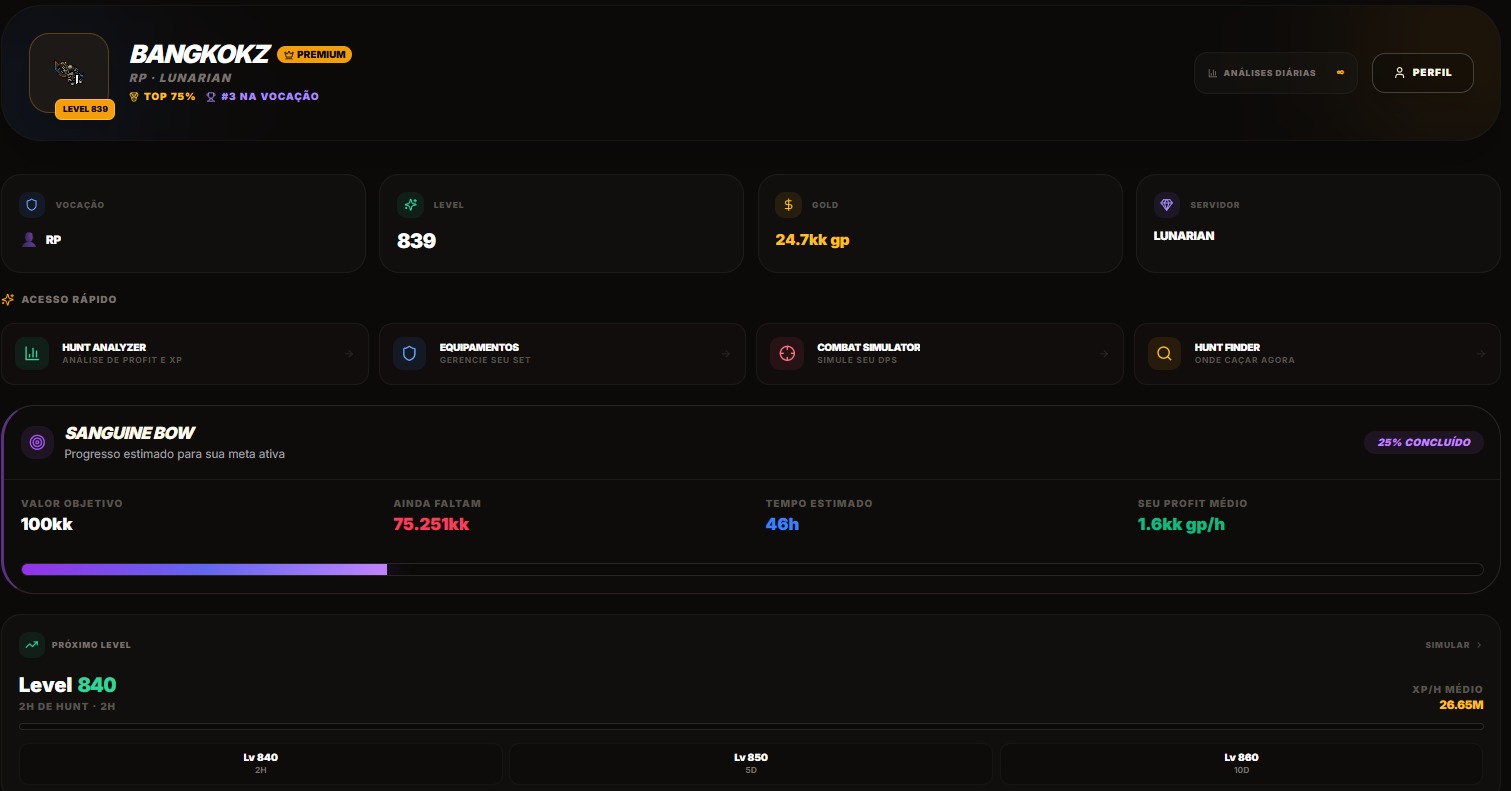
2. Register your character
After signing in, register your character with vocation, level and server. The dashboard shows your progress, active item goal, estimated time to your next level and quick access to every tool.
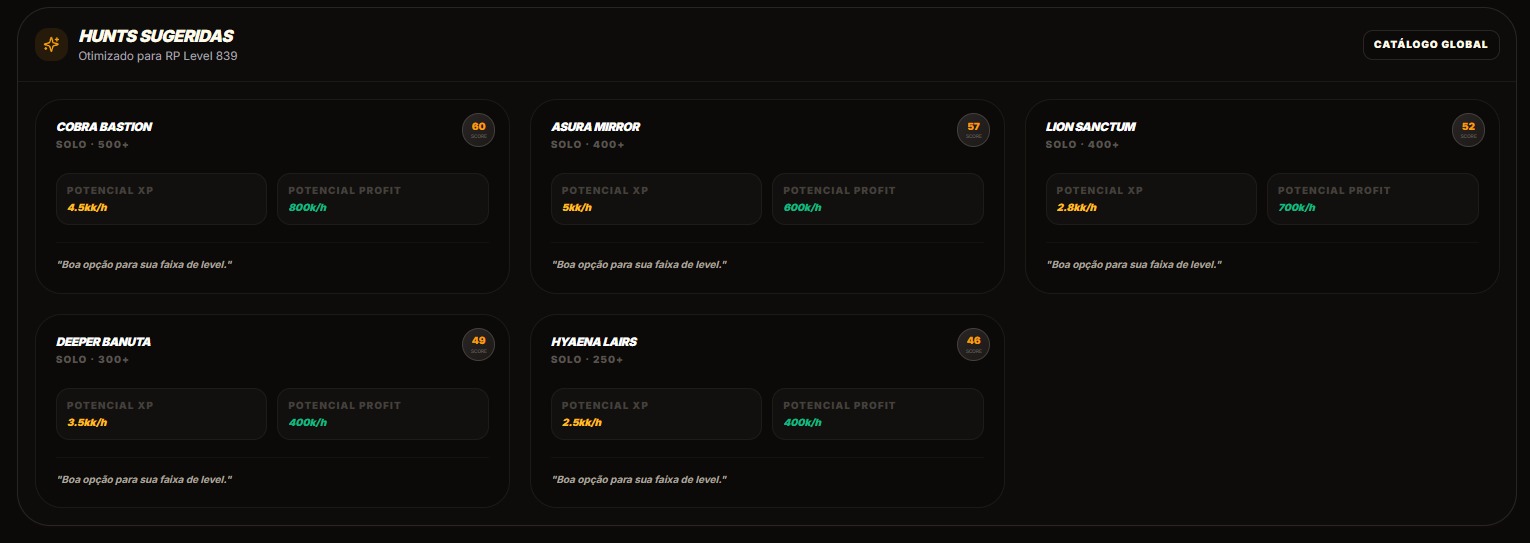
3. See hunts suggested for you
Based on your level and vocation, OberonGG automatically suggests the best hunting spots — with estimated XP/h and profit for each one.
Analyze your hunting sessions in seconds
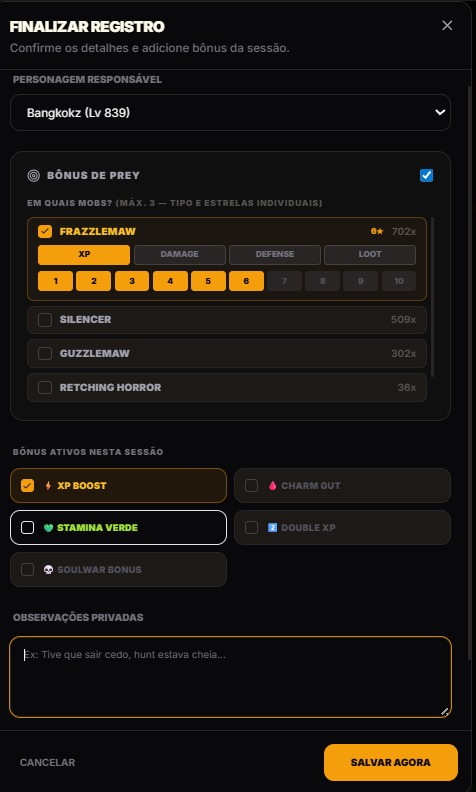
How to submit a hunt
In Tibia, go to Hunt Analyzer → Session Data and copy the log. Paste it into OberonGG and click Analyze. Before saving, enter active bonuses: Prey (per mob, with individual type and stars), XP Boost, Stamina Green, Charm Gut and more.
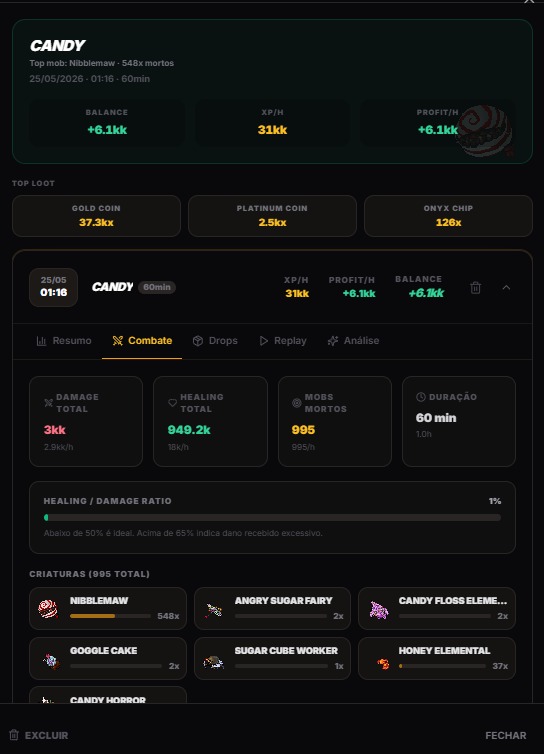
What you see after analyzing
Every saved session shows: XP/h, Profit/h, Balance, duration, killed mobs breakdown, total Damage and Healing, Healing/Damage ratio and most valuable drops. All in one place.
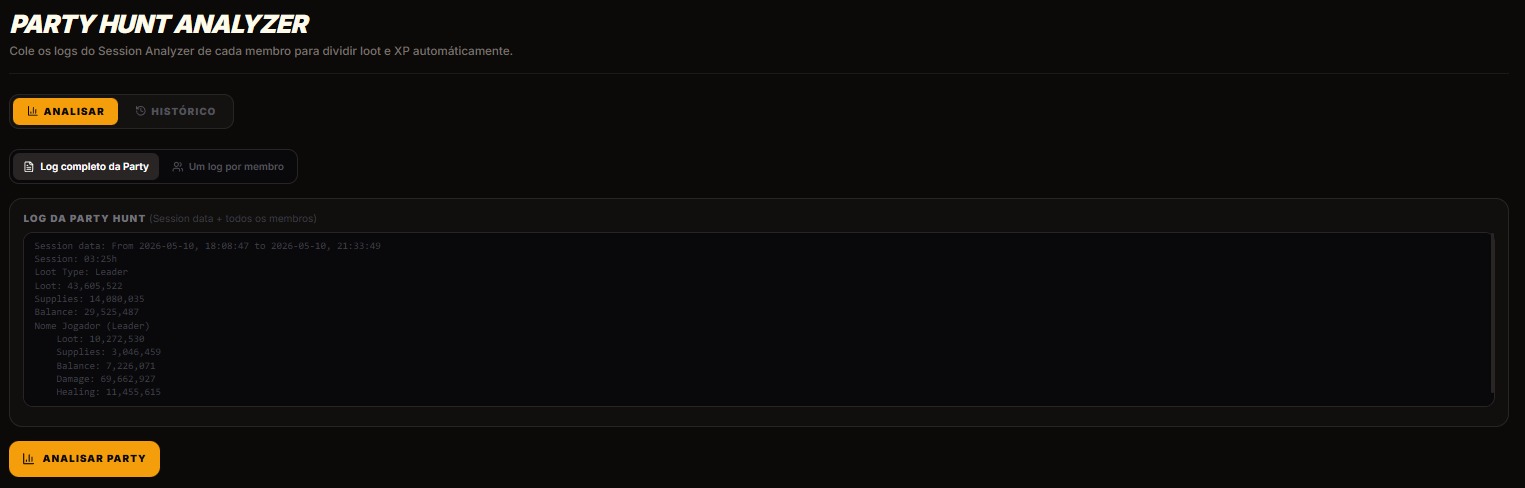
Party Hunt Analyzer
Hunted in a party? Paste the full session log (with every member's data) and OberonGG automatically splits the loot and XP between each player.
Your digital strategist — analyzes, compares and recommends
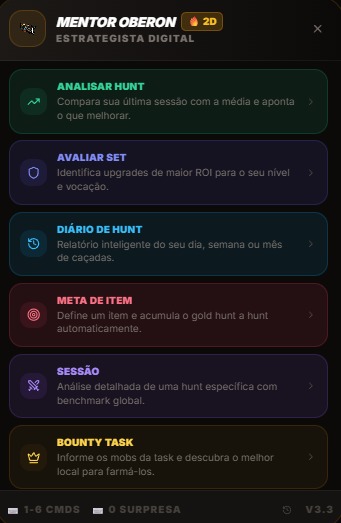
What the Mentor does
Mentor Oberon is an AI that reads your data and delivers direct analysis. There are 6 modules: Hunt (analyzes your last session), Set (evaluates your gear), Journal (day/week/month summary), Goal (tracks your target item), Session (benchmark for a specific hunt) and Bounty (finds the best spot for your task).
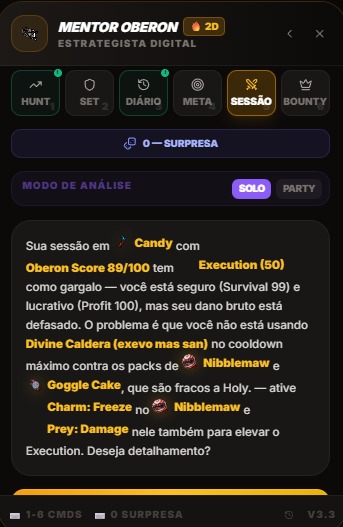
Analysis of your last hunt
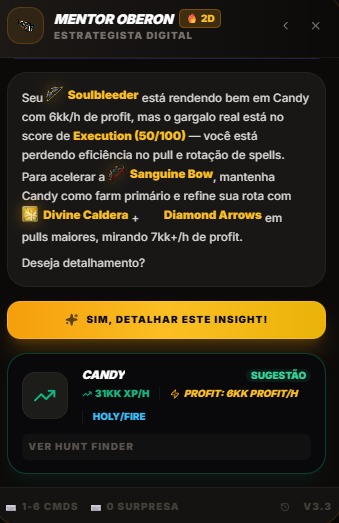
The Mentor compares your XP/h and Profit against the spot's global average, identifies the real bottleneck of the session — spell rotation, pulling, misconfigured Prey — and tells you exactly what to improve.
Insights with spot suggestions
Beyond the analysis, the Mentor suggests the ideal spot with estimated XP/h and Profit for your current gear, and points out the highest-impact next upgrade to speed up your progress.
Hunt Journal — Day, Week or Month
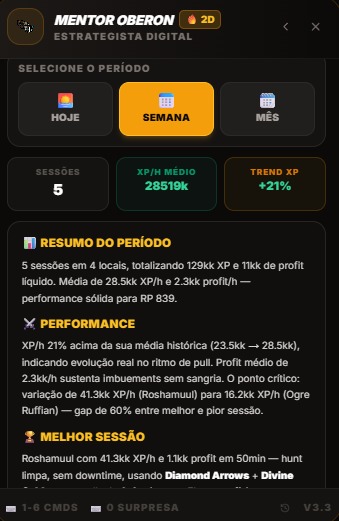
Pick the period and see: number of sessions, average XP/h, performance trend, full period summary, best session in the range and consistency analysis across hunts.
Gear Evaluation
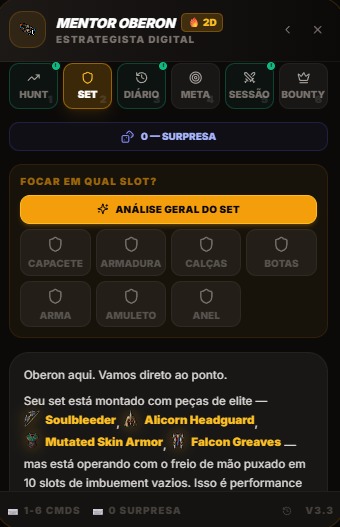
The Mentor analyzes every slot of your equipment, identifies which item is holding back your performance and recommends the next upgrade based on your level, vocation and current budget.
Item Goal
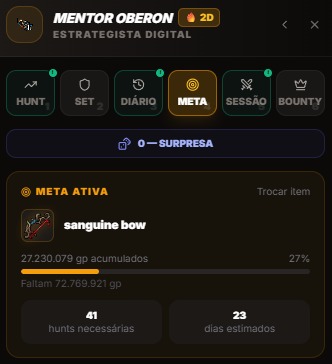
Set an item as your goal (e.g. Sanguine Bow) and the Mentor automatically calculates how many hunts and days are left to get it, based on your real average profit.
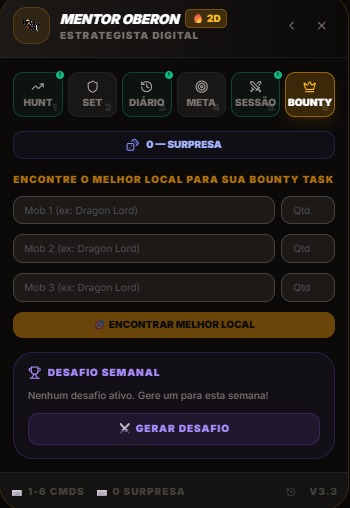
Bounty Task
Enter up to 3 mobs from your task and the Mentor finds the best spot to farm them efficiently. It also generates a personalized weekly challenge for you.
OberonGG floating on your screen while you play
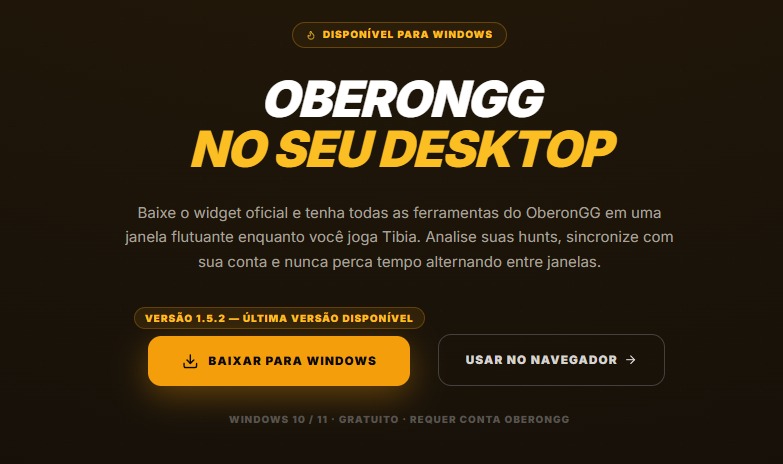
Widget for Windows
Download the free Windows app and get OberonGG in a floating window next to Tibia. Analyze your hunt without alt+tab, synced in real time with your account.
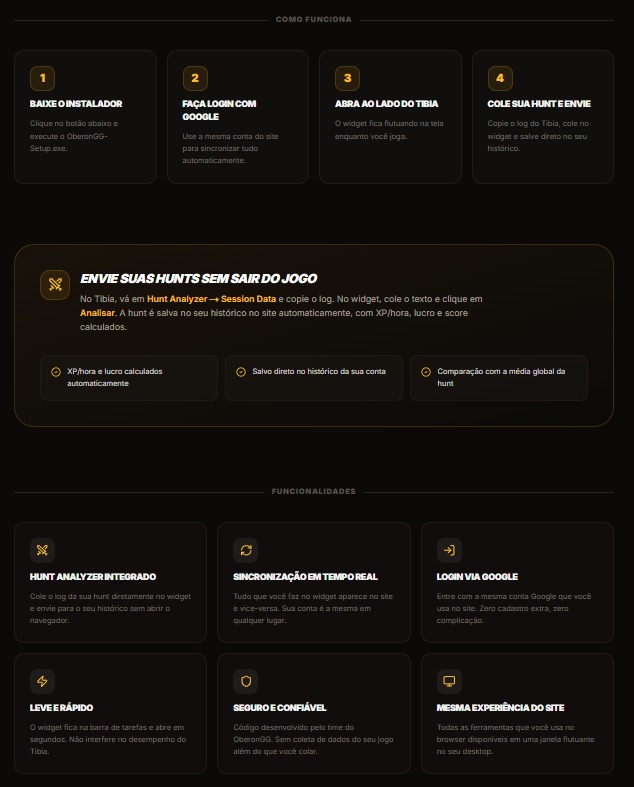
How to use it
1. Download and install OberonGG Setup. 2. Sign in with Google (same account as the site). 3. Open it next to Tibia. 4. Copy the log from the Session Analyzer, paste it in the widget and click Analyze. The hunt is saved automatically to your history with XP/h and profit calculated.
Build, simulate and optimize your equipment
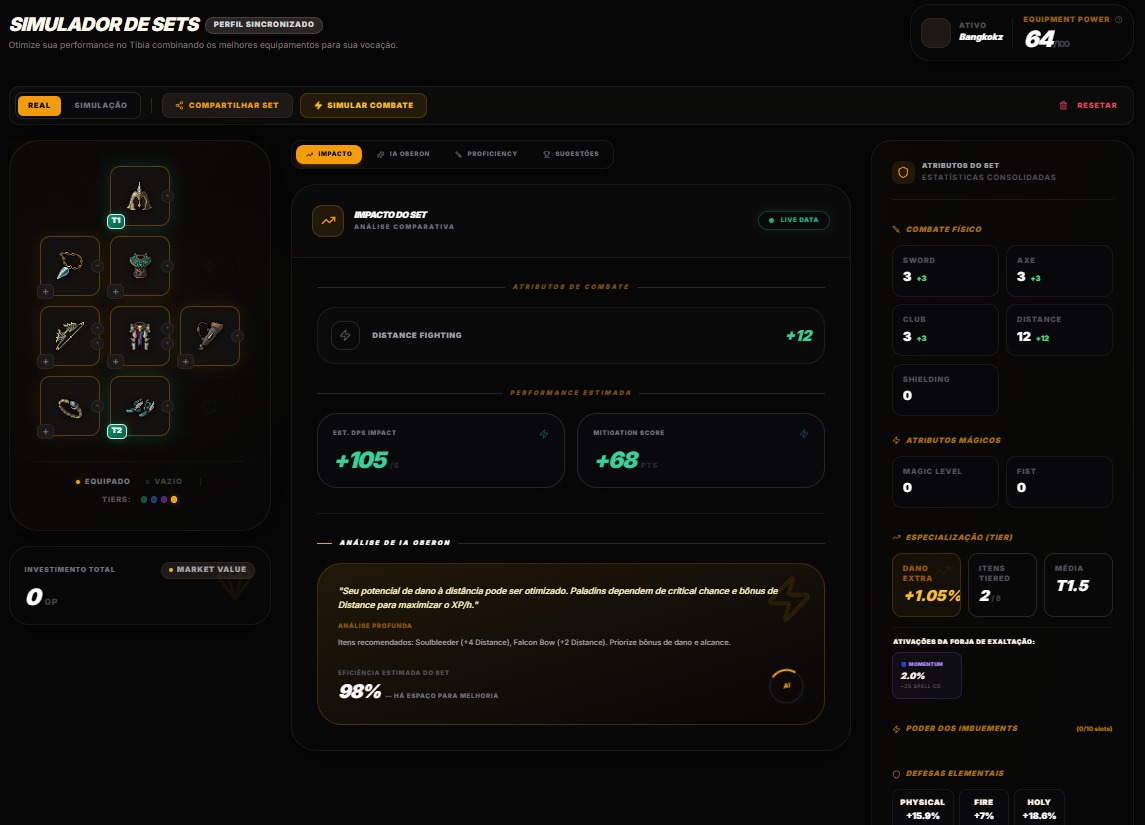
Simulate your full set
Build your equipment slot by slot and see the real-time impact on DPS, combat skills and elemental resistances. The "AI Oberon" tab delivers an automatic analysis of what's holding back your performance and the items recommended for your level.
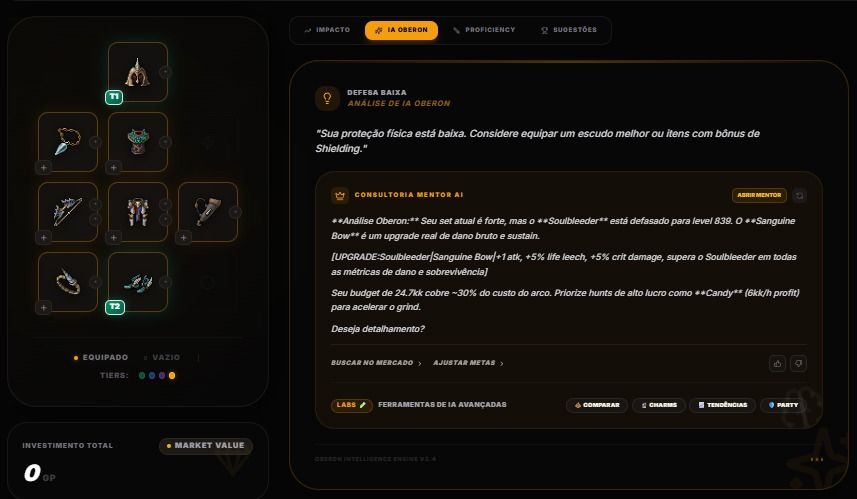
AI Oberon on your Set
The AI analysis points out weaknesses in your current gear, suggests specific upgrades with an estimated impact, and factors in your gold budget to recommend the most efficient path.
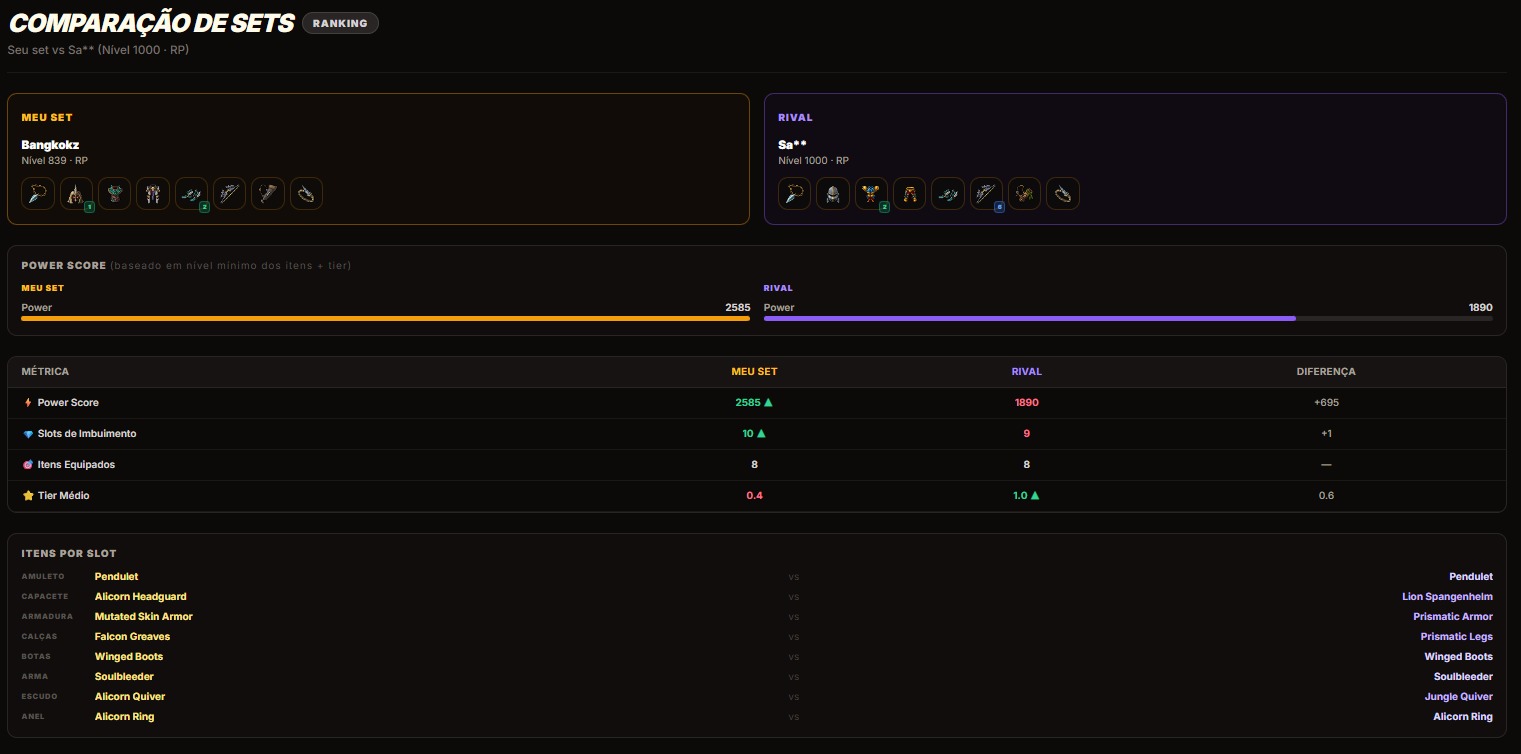
Compare your gear with another player
In Ranking, click Compare to see your gear side-by-side with another player's — Power Score, Average Tier, imbuement slots and each item per slot.
Calculate your real DPS before you hunt
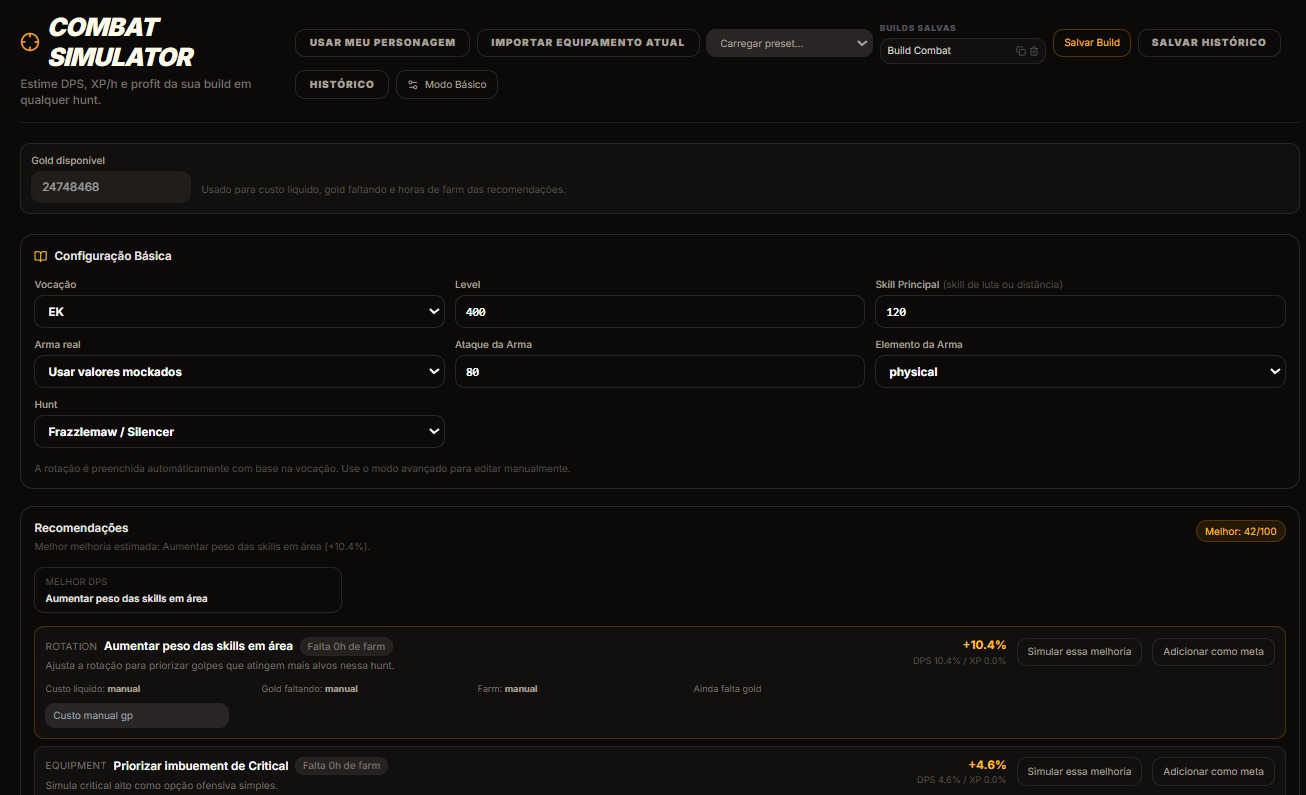
Estimate your DPS per hunt
Select your vocation, level, weapon and hunting spot. The simulator calculates estimated DPS, projected XP/h and recommends rotation and gear improvements with the percentage gain shown — all before you spend a single gp.
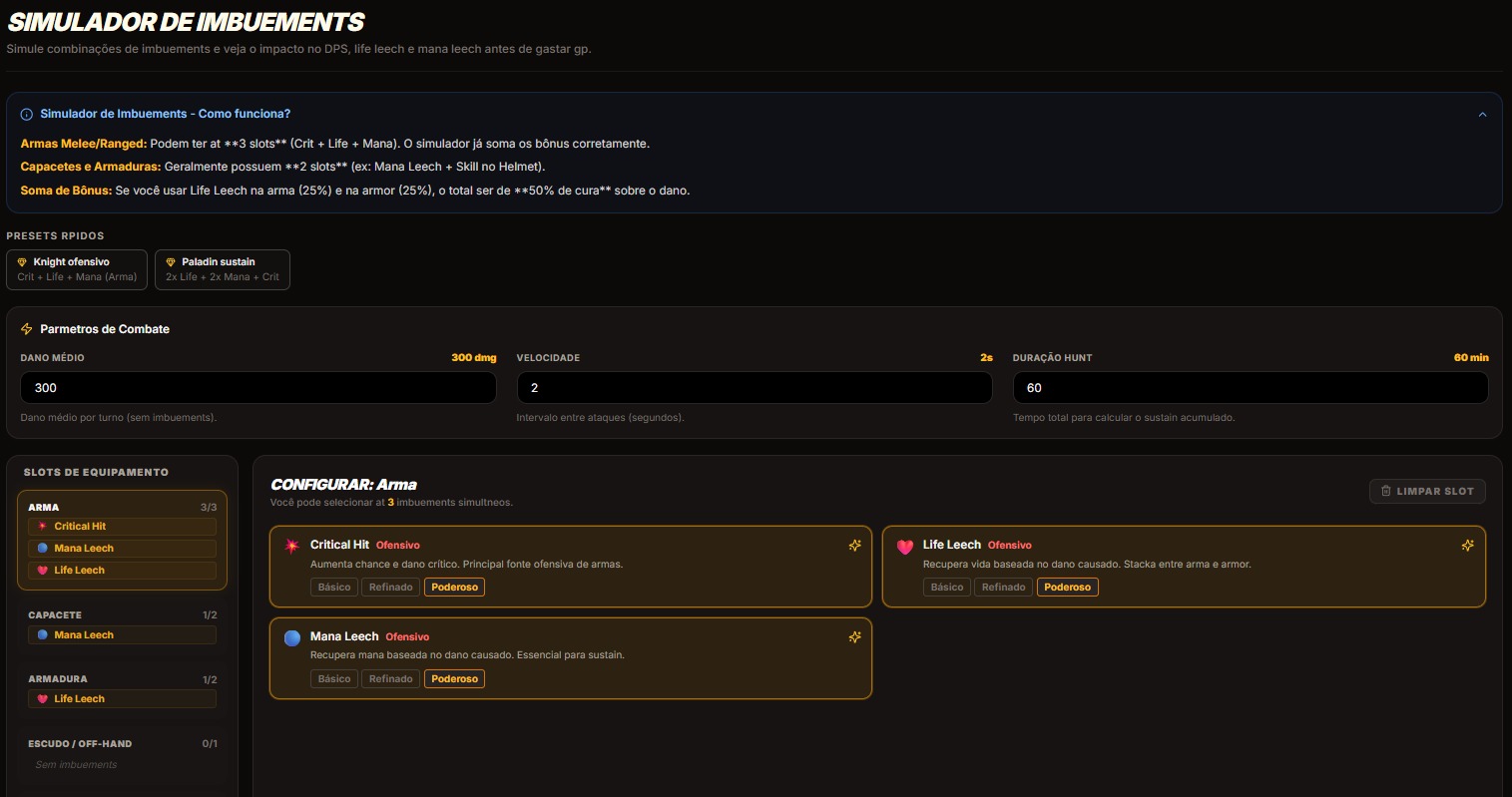
Imbuement Simulator
Simulate imbuement combinations and see the impact on DPS, Life Leech and Mana Leech before spending gold. Use the quick presets (Offensive Knight, Sustain Paladin) or build from scratch slot by slot.
Real community data to choose where to hunt
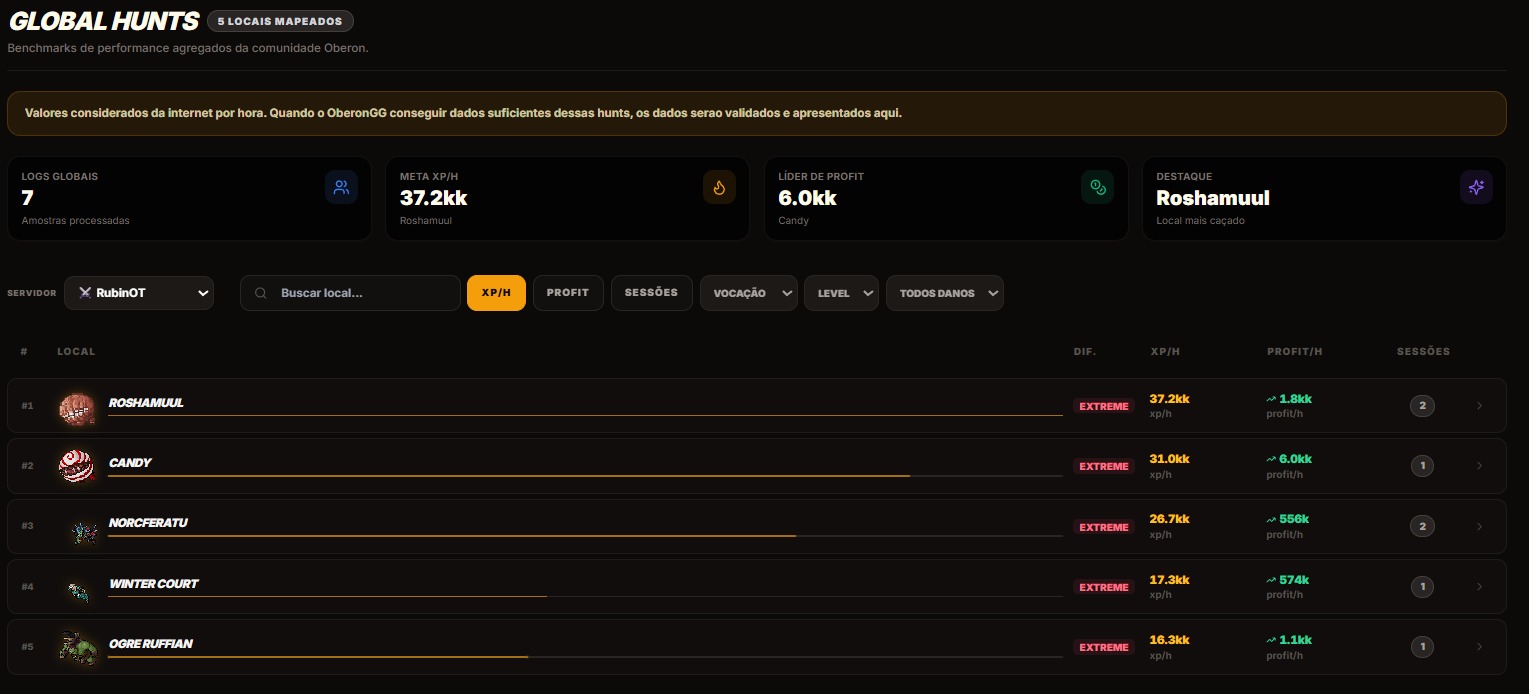
Global Hunts — community benchmarks
See the ranking of hunting spots with real average XP/h and Profit recorded by OberonGG players. Filter by server (Tibia Global, RubinOT or your OT), vocation, level and damage type.
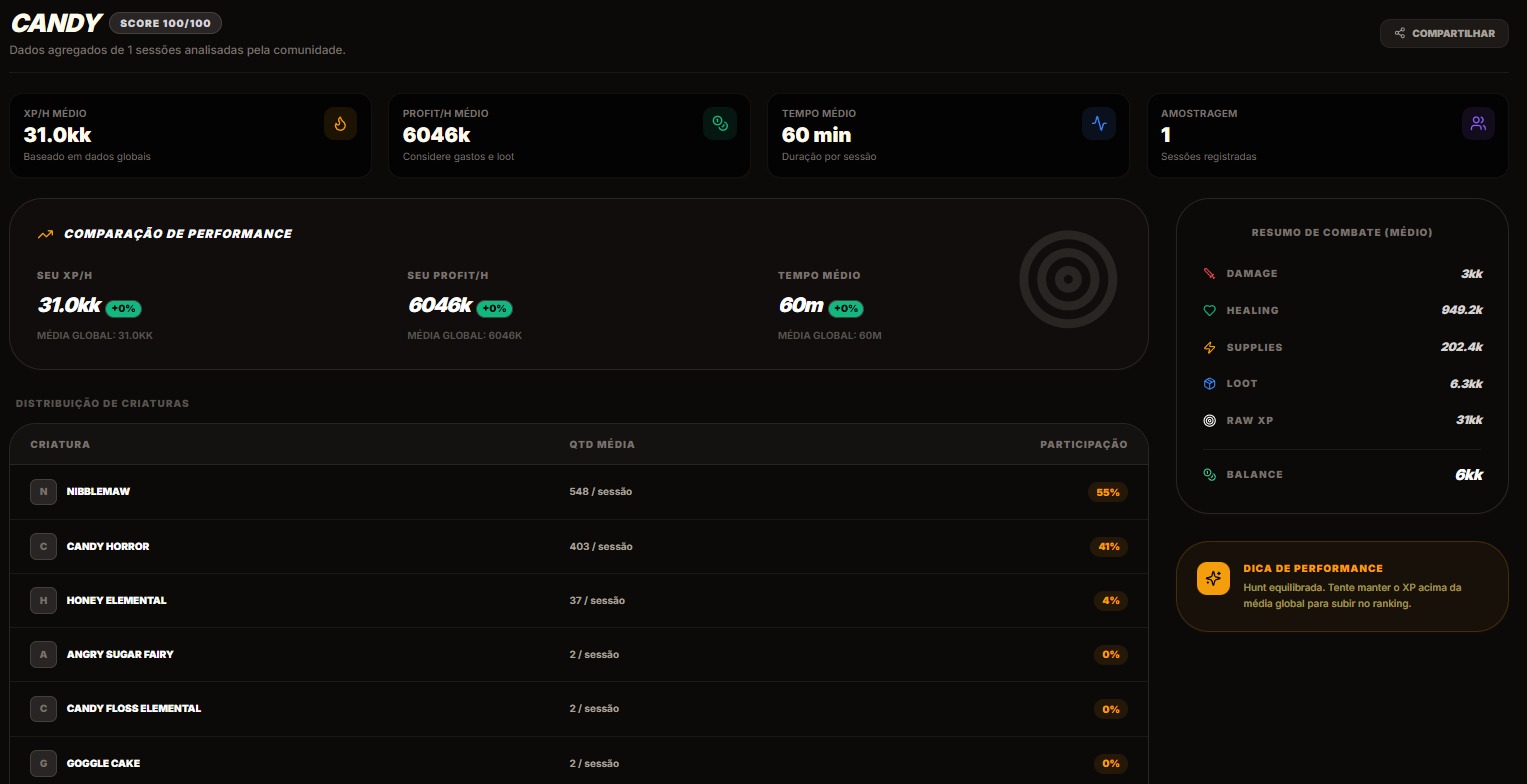
Detail for each spot
Click any spot to see: average XP/h, average Profit/h, creature distribution per session, comparison with your own performance and tips to improve your score.
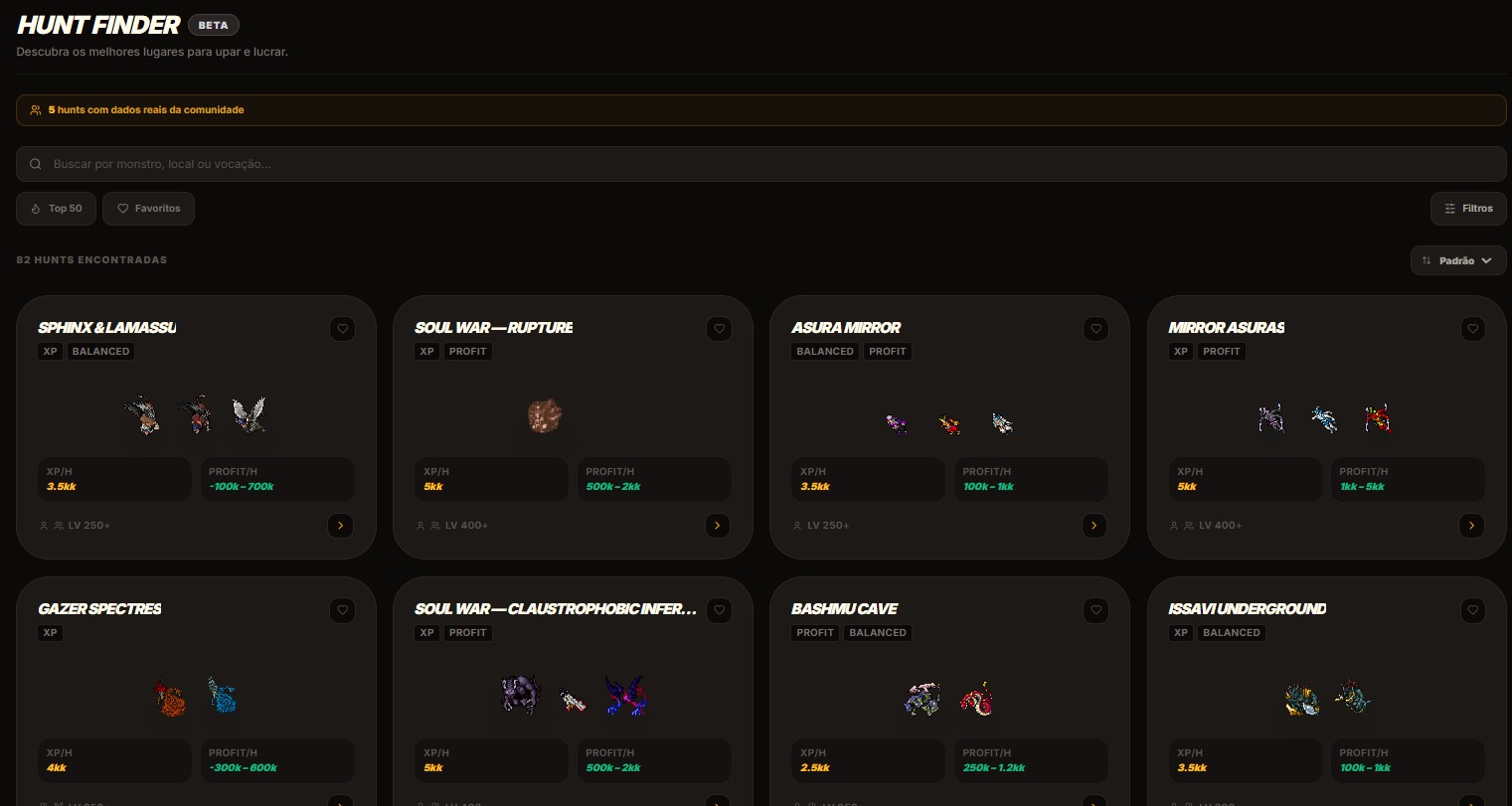
Hunt Finder — where to hunt now
Hunt Finder lists over 80 spots, filterable by minimum level, vocation, type (XP or Profit) and hunting style. Data is powered by the community's real hunts — not a generic list.
See where you stand and improve with real data
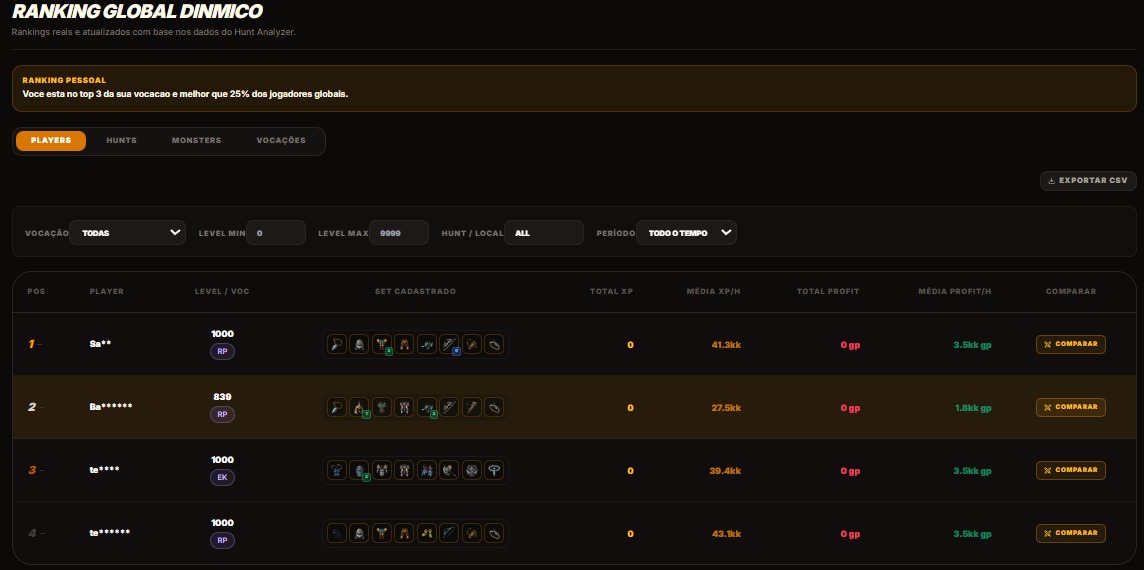
Dynamic Global Ranking
Player, Hunt and Vocation rankings updated from real Hunt Analyzer data. Filter by vocation, level range and period. Export to CSV for your own analysis.
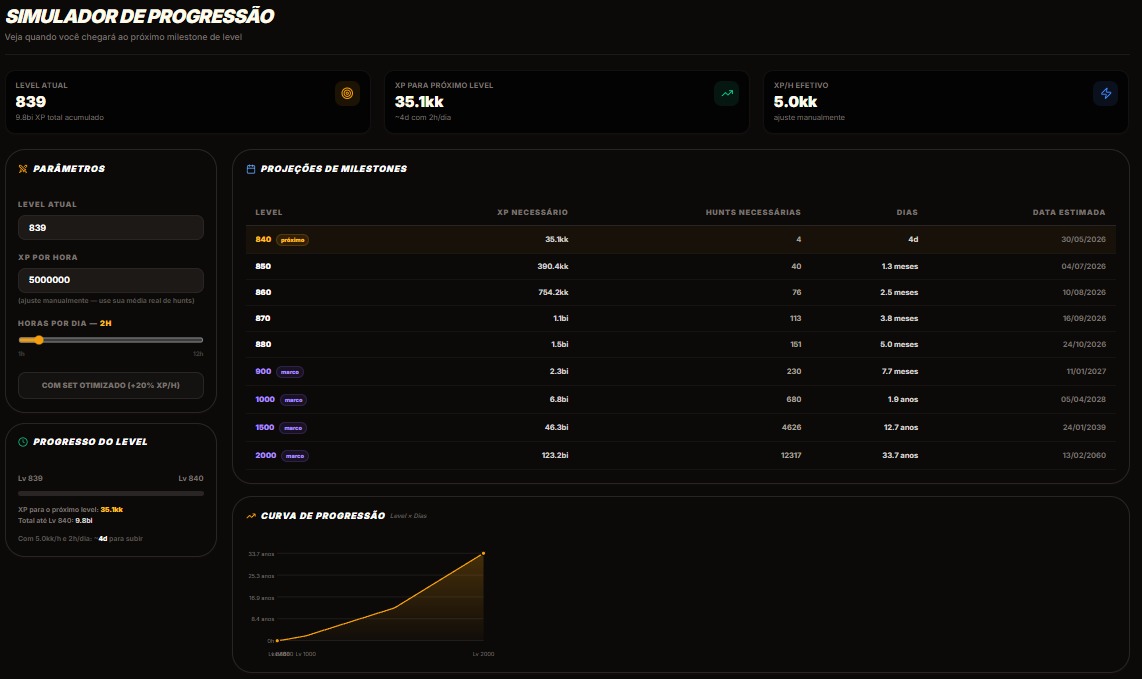
Progression Simulator
Enter your current level, average XP/h and hours hunted per day. The simulator projects when you'll reach your next level and shows milestones up to level 2000 with an estimated date for each.
Free forever. Elite whenever you want to level up.

Free vs Elite
The Free plan already includes Hunt Analyzer, Gear Simulator and history of your last 10 hunts. Elite unlocks: Mentor Oberon AI, unlimited history, full global benchmarks, Desktop Widget, unlimited combat simulations and an exclusive Founder badge. Payment via PIX, no auto-renewal.